
Anúncios
Amazon Alexa has revolutionized how we interact with technology at home, and the Alexa app serves as the essential control center for your entire smart ecosystem.


Whether you’re a new Echo device owner or a long-time Alexa enthusiast, understanding the full capabilities of the Alexa app transforms your smart home experience from basic to extraordinary. The application acts as a comprehensive dashboard where voice commands meet visual controls, creating a seamless bridge between you and your connected devices.
Anúncios
From setting up your first Echo speaker to managing complex routines across multiple rooms, the Alexa app offers intuitive controls that simplify your daily life. Let’s explore everything this powerful companion app has to offer and how you can maximize its potential for a truly intelligent home environment.
🏠 Setting Up Your Alexa App for the First Time
Getting started with the Alexa app is remarkably straightforward, designed with user-friendliness at its core. After downloading the application from your device’s app store, you’ll need an Amazon account to begin the setup process.
Anúncios
The initial configuration guides you through connecting your Echo device to your Wi-Fi network. The app detects nearby Alexa-enabled devices automatically, making the pairing process nearly effortless. Once connected, you’ll customize your device name, location, and preferred settings.
Language preferences play a crucial role in how Alexa understands and responds to your commands. The app supports multiple languages and regional accents, ensuring accurate voice recognition regardless of where you live. You can even set up bilingual mode for households that speak more than one language.
Setting up your address enables location-based features like local weather updates, traffic reports, and nearby business searches. This geographical awareness makes Alexa’s responses more relevant and personalized to your specific needs.
🎯 Exploring the Main Interface and Navigation
The Alexa app interface prioritizes clarity and accessibility, with a bottom navigation bar providing quick access to essential features. The Home tab displays your most recent interactions, reminders, and suggested commands that you might find useful.
The Devices tab serves as your smart home command center, organizing all connected gadgets by room or device type. This organizational structure makes managing dozens of smart devices feel manageable rather than overwhelming.
The More tab reveals additional functionalities including Skills, Routines, Settings, and Lists. Each section opens up new possibilities for customizing how Alexa works within your daily routine.
Communication features occupy their own dedicated space, allowing you to make calls, send messages, and Drop In on other Alexa devices in your household. This turns your Echo devices into an intercom system that connects every room.
🔊 Customizing Voice and Sound Settings
Alexa’s voice isn’t one-size-fits-all anymore. The app allows you to choose between different voice options, including celebrity voices available through premium features. You can adjust speaking speed to match your preference, making responses either more leisurely or more efficient.
Wake word customization lets you choose what activates your device. Beyond “Alexa,” you can select “Amazon,” “Echo,” or “Computer” as alternative wake words. This flexibility proves especially useful in households with multiple Echo devices.
Volume controls extend beyond simple up-and-down adjustments. You can set different volume levels for alarms, timers, and regular responses. Whisper mode enables Alexa to respond quietly when you speak in a whisper, perfect for late-night interactions.
Brief mode reduces Alexa’s verbal responses, replacing them with simple tones for routine commands. This feature streamlines interactions when you don’t need confirmation for every action.
🎭 Skills: Expanding Alexa’s Capabilities
The Skills section represents Alexa’s app store, containing thousands of third-party integrations that expand functionality dramatically. Skills range from meditation guides and workout coaches to recipe assistants and trivia games.
Finding the right skills requires browsing categories or searching for specific brands and functions. Popular skills include meditation apps like Headspace, food delivery services like Domino’s, and smart home brands like Philips Hue.


Enabling a skill takes just seconds through the app. Once activated, you can invoke skills using specific phrases like “Alexa, ask [skill name] to…” Some skills work seamlessly in the background without special invocation phrases.
Managing your enabled skills helps keep your Alexa experience streamlined. Periodically reviewing and removing unused skills prevents clutter and ensures Alexa understands your most frequent commands without confusion.
Skill ratings and reviews within the app help you identify quality additions worth trying. User feedback highlights which skills deliver genuine value versus those that promise more than they provide.
⚡ Creating Powerful Routines
Routines represent the app’s most transformative feature, allowing you to automate multiple actions with a single command or trigger. A morning routine might turn on lights, read your calendar, announce the weather, and start your coffee maker simultaneously.
Creating routines involves selecting a trigger (voice command, schedule, device action, or alarm) and then choosing the resulting actions. The interface uses a simple add-and-arrange system that requires no coding knowledge.
Time-based routines run automatically at scheduled times, perfect for morning wake-ups or evening wind-downs. Location-based routines trigger when your phone arrives or leaves home, adjusting your smart home accordingly.
Routine actions can include smart home controls, news briefings, music playback, reminders, and even waiting periods between actions. This flexibility enables highly personalized automation sequences tailored to your specific lifestyle.
Sharing routines isn’t currently supported within the app, but you can recreate effective routines on multiple Amazon accounts by following the same setup steps. Many online communities share routine ideas that you can adapt to your needs.
📱 Smart Home Device Management
The Devices section transforms your smartphone into a comprehensive smart home controller. Each connected device appears with its current status and available controls, providing visual feedback that voice commands alone cannot offer.
Grouping devices by room enables commands like “Alexa, turn off the living room,” which affects all compatible devices in that space simultaneously. This organizational structure mirrors how you naturally think about your home layout.
Device settings accessed through the app reveal customization options that voice commands cannot access. Bulb colors, thermostat schedules, camera settings, and lock codes all require the visual interface for detailed configuration.
Discovering new devices happens through the app’s discovery feature, which searches for compatible smart home products on your network. Most modern smart devices integrate with Alexa without requiring separate hub hardware.
Troubleshooting connectivity issues becomes simpler through the app’s device health indicators. When devices appear offline or unresponsive, the app provides diagnostic information and suggested solutions.
🎵 Music and Entertainment Controls
Music services connect to Alexa through the app’s settings, where you can link Spotify, Apple Music, Amazon Music, Pandora, and other streaming platforms. Setting a default music service ensures Alexa plays from your preferred platform without needing to specify it each time.
Multi-room music groups synchronize playback across multiple Echo devices, creating a whole-home audio experience. The app lets you create and manage these groups, choosing which speakers participate in each audio zone.
Podcast and audiobook playback benefits from the app’s visual interface, where you can see episode listings, bookmark positions, and playback controls. While voice commands start playback, the app provides precision control for navigation.
Radio stations and live broadcasts from services like TuneIn integrate seamlessly, with the app preserving your favorite stations for quick access. Voice commands work perfectly for starting playback, but the app excels at discovering new content.
📞 Communication Features
Alexa Calling transforms your Echo devices into hands-free phones. Through the app, you can initiate calls to contacts, other Alexa users, or regular phone numbers (in supported countries). The contact integration pulls from your phone’s address book after you grant permission.
Messaging allows you to send voice or text messages to other Alexa users. These messages arrive on their Echo devices and in their Alexa app, creating a flexible communication channel that works across platforms.
Drop In functionality enables instant connections to other Echo devices in your home or to approved contacts. This feature works like an intercom system, perfect for announcing dinner or checking on family members in different rooms.
Announcements broadcast messages to all Echo devices simultaneously. Rather than walking through your house repeating yourself, you can make a single announcement through the app that echoes everywhere at once.
🔐 Privacy and Security Settings
Privacy controls within the app give you transparency and control over your data. The Voice History section displays every interaction Alexa has recorded, allowing you to listen to recordings and delete them individually or in bulk.
Automatic deletion settings can remove recordings after three or eighteen months, or you can choose to delete them manually. This ongoing cleanup maintains your privacy while still allowing Alexa to improve through machine learning.
Mute settings for device microphones and cameras provide physical assurance that Alexa isn’t listening or watching. While hardware mute buttons exist on devices, the app provides status confirmation and remote control options.
Skill permissions management shows which third-party skills have access to specific data like your location, lists, or device controls. Reviewing these permissions periodically ensures you’re comfortable with data sharing arrangements.
📋 Lists, Reminders, and Timers
Shopping lists and to-do lists sync between Alexa and the app, making it easy to add items by voice at home and check them while shopping from your phone. Multiple lists can be created for different purposes, all accessible through voice or app.
Reminders set through Alexa appear in the app with full details and management options. You can set one-time or recurring reminders, assign them to specific devices, and choose whether they should announce or simply send notifications.
Timers and alarms created by voice show up in the app where they can be edited, paused, or cancelled. Multiple simultaneous timers can run with custom labels, helping you track different cooking tasks or activities.
Calendar integration connects your Google, Microsoft, or Apple calendar to Alexa, enabling voice queries about upcoming events. The app displays your calendar within the Alexa interface, centralizing your schedule management.
🌟 Advanced Features and Hidden Gems
Alexa Guard uses your Echo devices as home security sensors, listening for smoke alarms, carbon monoxide alarms, or glass breaking sounds. When enabled through the app, Alexa sends alerts to your phone if these sounds are detected while you’re away.
Follow-up mode allows multiple commands without repeating the wake word. After Alexa responds to your first command, she remains briefly active, letting you issue a follow-up immediately. This feature creates more natural conversation flows.
Adaptive volume automatically adjusts Alexa’s response volume based on ambient noise levels. In noisy environments, she speaks louder; in quiet rooms, she reduces volume appropriately.
Voice profiles enable Alexa to recognize different household members, providing personalized responses, music preferences, and communication features for each person. Training your voice profile takes just a few minutes through the app.
🔧 Troubleshooting Common Issues
Connection problems often resolve through the app’s troubleshooting guides. Device offline issues, Wi-Fi connectivity failures, and unresponsive smart home devices all have dedicated help sections with step-by-step solutions.
Software updates happen automatically, but you can check update status through the app. Ensuring your devices run the latest firmware resolves many performance issues and adds new features as Amazon releases them.
Resetting devices through the app provides a software-based alternative to hardware reset buttons. This proves useful when devices are mounted or positioned where physical access is difficult.
Customer support access through the app connects you directly to Amazon’s help resources, including live chat, email support, and comprehensive FAQ sections covering virtually every scenario.
💡 Tips for Maximizing Your Alexa App Experience
Regular exploration of the app reveals features you didn’t know existed. Amazon continuously adds functionality, and staying current with updates ensures you’re leveraging Alexa’s full potential rather than just basic commands.
Customizing notification settings prevents alert fatigue while keeping you informed about important events. You can choose which types of notifications appear and whether they should generate sounds or silent badges.
Experimenting with different skills and routines helps you discover automation possibilities specific to your lifestyle. What works perfectly for one household might not suit another, so personalization is key to satisfaction.
Integrating family members into your Alexa ecosystem enhances shared experiences. Creating household profiles, sharing shopping lists, and setting up communication features makes Alexa genuinely useful for everyone under your roof.
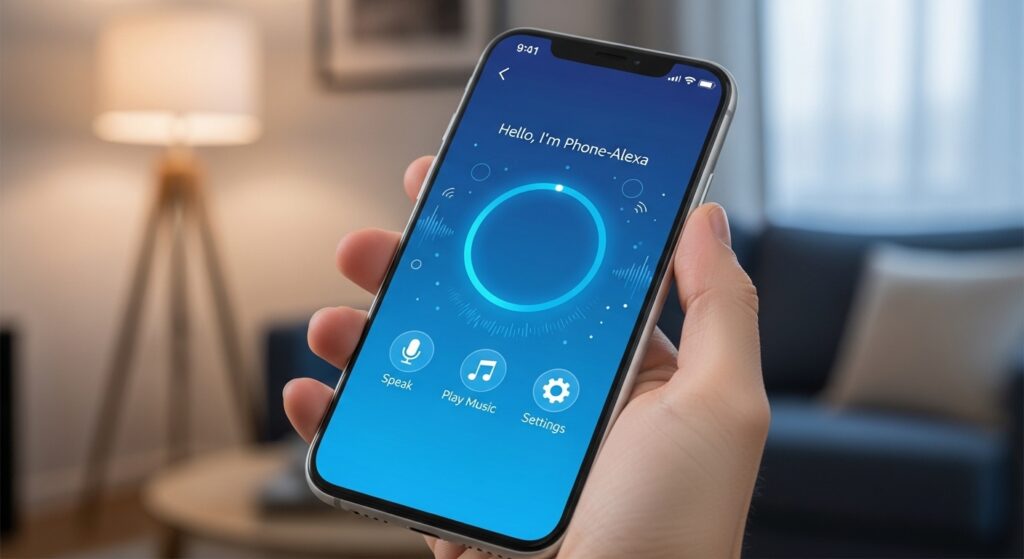
The Alexa app represents far more than a simple remote control for your Echo devices. It’s a comprehensive platform that bridges voice interaction with visual control, creating a smart home experience that adapts to your unique needs. From basic device setup to advanced automation routines, the app provides the tools necessary to craft an intelligent environment that anticipates your needs and simplifies daily tasks. As Amazon continues developing new features and integrations, the Alexa app remains your gateway to an increasingly connected and responsive home.
