
Anúncios
Siri has revolutionized the way we interact with technology, transforming voice commands into everyday actions and making smartphones truly intelligent companions in our daily lives.



Since its introduction in 2011, Siri has evolved from a simple voice-activated assistant into a sophisticated AI-powered tool that anticipates needs, learns preferences, and seamlessly integrates across Apple’s entire ecosystem. What started as a novelty feature has become an indispensable part of how millions of users manage their schedules, control their homes, and stay connected.
Anúncios
The virtual assistant landscape has become increasingly competitive, yet Siri maintains a unique position by leveraging Apple’s hardware integration, privacy-first approach, and constantly expanding capabilities. Understanding how to maximize Siri’s potential can dramatically enhance productivity and simplify complex tasks with just your voice.
🎯 What Makes Siri Stand Out Among Virtual Assistants
Siri differentiates itself through deep integration with Apple’s ecosystem, offering a level of seamlessness that’s hard to replicate. Unlike standalone assistant apps, Siri is woven into the fabric of iOS, iPadOS, macOS, watchOS, and tvOS, creating a unified experience across all devices.
Anúncios
The assistant’s ability to understand context has improved dramatically over the years. Siri can now maintain conversational flow, remembering what you just asked and building upon previous queries. This contextual awareness makes interactions feel more natural and less robotic than earlier generations.
Privacy represents another crucial differentiator. Apple processes as many Siri requests as possible directly on your device, without sending data to servers. When cloud processing is necessary, Apple anonymizes the information and doesn’t tie it to your Apple ID, addressing growing concerns about data privacy in the age of AI assistants.
Voice Recognition Technology That Adapts to You
Modern Siri employs advanced neural networks that learn to recognize your voice patterns, accent, and speech habits. The more you use Siri, the better it becomes at understanding your specific pronunciation and vocabulary preferences. This personalized learning happens entirely on-device, maintaining Apple’s commitment to privacy.
The assistant can now distinguish between different users in the same household on HomePod, providing personalized responses based on who’s speaking. This multi-user support extends to music preferences, calendar access, and message reading, making shared devices genuinely useful for families.
📱 Essential Siri Commands Every User Should Master
Mastering key Siri commands transforms your iPhone from a device you manually operate into an intelligent assistant that responds to your needs instantly. Basic commands are just the beginning—Siri’s true power emerges when you combine commands and use shortcuts.
For communication, you can say “Send a message to John saying I’ll be late” or “Read my last email from Sarah.” Siri handles the heavy lifting while you focus on content rather than navigation. You can even specify which app to use: “Send a WhatsApp message to Mom.”
Time Management and Productivity Commands
Siri excels at calendar management and reminders. Try commands like “Schedule a meeting with David tomorrow at 3 PM” or “Remind me to call the dentist when I get home.” Location-based reminders are particularly powerful, triggering alerts when you arrive at or leave specific places.
Timer and alarm functions become effortless with voice control. “Set a timer for 20 minutes,” “Wake me up at 6:30 AM on weekdays,” or “Set an alarm labeled ‘take medication’ for 8 PM” demonstrate how natural language processing has evolved.
- Calendar management: Create, modify, and check appointments hands-free
- Smart reminders: Set time-based or location-based alerts
- Note-taking: Quickly capture thoughts without opening apps
- Email dictation: Compose and send emails using only your voice
- Timer stacking: Run multiple named timers simultaneously
🏠 Controlling Your Smart Home Through Siri
Siri serves as the central command hub for HomeKit-enabled devices, allowing voice control over lights, thermostats, locks, cameras, and countless other smart home accessories. The integration goes beyond simple on-off commands, enabling sophisticated automation scenarios.
Creating scenes allows you to control multiple devices with a single command. Saying “Hey Siri, good morning” can turn on lights, adjust the thermostat, open blinds, and start your coffee maker—all simultaneously. Evening routines become equally streamlined with commands like “Hey Siri, movie time” that dim lights, close curtains, and activate your entertainment system.

Advanced Automation with Siri Shortcuts
Siri Shortcuts represent the assistant’s most powerful feature, enabling custom voice commands that trigger complex multi-step workflows. You can create shortcuts that combine actions across multiple apps, essentially programming Siri to execute personalized routines.
For example, a “Heading home” shortcut might send a message to your family, start navigation, adjust your home temperature, and queue your favorite playlist—all triggered by a single voice command. The Shortcuts app provides both pre-made automation templates and tools for creating custom workflows without coding knowledge.
🎵 Music, Podcasts, and Entertainment Control
Siri transforms how you consume audio content, offering hands-free control that’s particularly valuable while driving, exercising, or cooking. Natural language requests like “Play something relaxing” or “Play upbeat workout music” leverage Apple Music’s intelligence to curate appropriate playlists.
The assistant can identify songs playing around you with “What’s this song?” and add tracks to your library or playlists instantly. Podcast management becomes equally effortless: “Play the latest episode of [podcast name]” or “Skip forward 30 seconds” keep you engaged without interrupting your activity.
Cross-Device Audio Continuity
AirPlay integration allows Siri to send audio to specific speakers or rooms: “Play this in the living room” or “Play music everywhere.” This spatial audio control works seamlessly with HomePod, AirPods, and compatible third-party speakers, creating a truly connected home audio experience.
When using AirPods, Siri provides information without interrupting your audio. Ask about weather, time, or battery levels and receive spoken responses that don’t pause your music—just lower it momentarily for the answer.
🚗 Siri and CarPlay: Your Driving Companion
CarPlay integration makes Siri essential for safe driving, keeping your hands on the wheel and eyes on the road while maintaining connectivity. Voice commands handle navigation, communication, and entertainment without requiring you to touch your phone.
Navigation becomes conversational: “Take me home,” “Find the nearest coffee shop,” or “Add a stop at the grocery store” all work naturally. Siri provides turn-by-turn directions, traffic updates, and estimated arrival times through your car’s speakers, maintaining situational awareness.
Hands-Free Communication While Driving
Reading and responding to messages becomes safe with Siri’s driving features. The assistant announces incoming messages and can read them aloud, allowing you to respond by voice without glancing at your screen. This functionality extends to third-party messaging apps that support CarPlay integration.
Making calls requires simply saying “Call Mom on speaker” or “FaceTime Audio Dad.” Siri confirms the contact before dialing, preventing miscommunication while maintaining your focus on driving.
🔒 Privacy and Security Features in Siri
Apple’s approach to Siri prioritizes user privacy through on-device processing and data minimization. Unlike assistants that continuously send recordings to cloud servers, Siri performs most processing locally on your iPhone, iPad, or Mac using the device’s neural engine.
When server-side processing is necessary, Apple assigns a random identifier rather than linking requests to your Apple ID. Audio recordings are not stored by default, and you can review and delete any Siri interaction history through Settings.
Customizing Privacy Settings
You maintain granular control over what Siri can access. Navigate to Settings > Siri & Search to manage which apps can suggest content, whether Siri can learn from app usage, and if voice activation works on lock screens. These settings allow you to balance convenience with your personal privacy preferences.
Type to Siri offers an alternative for situations where voice input isn’t appropriate or possible. This accessibility feature provides the same functionality through text input, maintaining privacy in public spaces while preserving assistant capabilities.
🌍 Multilingual Capabilities and Localization
Siri supports dozens of languages and regional variants, understanding cultural nuances and local expressions. The assistant can even handle bilingual conversations, switching between two languages seamlessly without requiring manual language changes.
Translation features allow real-time conversion between languages: “How do you say ‘where is the bathroom’ in Japanese?” provides both written and spoken translations. This functionality proves invaluable for travelers navigating foreign countries or anyone learning new languages.
Regional Customization and Local Information
Siri adapts to regional differences in measurements, currency, date formats, and cultural references. Whether you’re asking about weather in Celsius or Fahrenheit, distances in miles or kilometers, the assistant responds according to your location and settings.
Local business information, transit directions, and cultural awareness reflect your geographic location. Siri understands regional landmarks, local sports teams, and area-specific services, providing contextually relevant information rather than generic responses.
♿ Accessibility Features Powered by Siri
For users with disabilities, Siri represents more than convenience—it provides essential accessibility that makes technology usable. Voice control eliminates barriers for those with limited mobility, enabling full device operation without physical contact.
VoiceOver integration allows blind and low-vision users to navigate their devices entirely through Siri commands combined with audio feedback. Screen reading, navigation assistance, and app control become possible through natural conversation rather than memorizing complex gesture sequences.
Assistive Features for Daily Living
Siri can announce incoming calls, read notifications aloud, and describe what’s on screen. For users with hearing impairments, Type to Siri provides silent interaction, while visual notifications complement audio alerts.
Switch Control compatibility allows users with severe mobility limitations to operate Siri through adaptive switches, eye-tracking systems, or other assistive technologies. This flexibility ensures that virtually anyone can benefit from virtual assistant capabilities regardless of physical ability.
📊 Siri’s Learning Capabilities and Suggestions
Siri learns from your patterns and routines to provide proactive suggestions before you even ask. These intelligent predictions appear on your lock screen, in search, and throughout iOS, anticipating needs based on time, location, and usage patterns.
If you typically call someone at a certain time, Siri suggests that action as the time approaches. Regular coffee orders might appear as shortcuts when you’re near your favorite café. These predictions improve over time, becoming more accurate as the system learns your preferences.
Personalized Recommendations Without Compromising Privacy
All learning happens on-device using differential privacy techniques that prevent Apple from knowing your specific patterns. The intelligence adapts to you personally without creating a profile that exists anywhere beyond your own device.
App suggestions, routing recommendations, and contact predictions all stem from local analysis of your behavior. This approach delivers personalization benefits while maintaining the privacy standards that distinguish Apple’s ecosystem.
🔮 Future Developments and Emerging Capabilities
Siri continues evolving with each iOS update, incorporating advanced AI models that improve natural language understanding and response generation. Machine learning enhancements enable more nuanced conversation, better context retention, and more accurate intent recognition.
Integration with third-party apps deepens through SiriKit, allowing developers to expose more app functionality to voice control. This expansion means Siri becomes increasingly capable across your entire app library, not just Apple’s native applications.
AI Integration and Enhanced Intelligence
Apple’s investment in on-device AI promises Siri improvements that don’t compromise privacy. Neural engines in recent Apple Silicon chips enable sophisticated language processing without cloud dependency, allowing faster responses and offline functionality for many commands.
Future iterations may incorporate more conversational AI that understands complex multi-turn dialogues, maintains longer contextual memory, and provides more nuanced responses to ambiguous queries. These enhancements will likely remain grounded in Apple’s privacy-first philosophy, differentiating Siri from competitors that rely heavily on cloud-based processing.
💡 Pro Tips for Maximizing Siri Efficiency
Power users unlock Siri’s full potential by combining features creatively. Chain commands together: “Remind me about this when I get home” while viewing a webpage saves the link with a location-based reminder. “Add this to my shopping list” works from countless apps and contexts.
Customize pronunciation by teaching Siri how to say names correctly. Say “That’s not how you pronounce [name]” and Siri will offer pronunciation options or let you record the correct version, eliminating future frustrations with uncommon names.
Creating Custom Shortcuts for Routine Tasks
Invest time in building shortcuts for repetitive multi-step processes. A “Start my day” shortcut might check weather, read calendar appointments, start a playlist, and display your task list—transforming ten minutes of morning routine into one voice command.
Share shortcuts with family members or colleagues to standardize workflows. A “Daily report” shortcut that gathers information from multiple apps and formats it consistently can be used by an entire team, ensuring uniform communication.
🎯 Troubleshooting Common Siri Issues
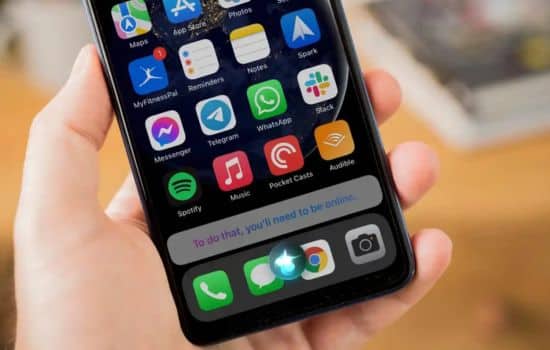
When Siri isn’t responding properly, several simple fixes often resolve the problem. Ensure “Hey Siri” is enabled in Settings > Siri & Search, and that your device has an active internet connection for requests requiring online data.
If Siri doesn’t understand you consistently, retrain voice recognition by toggling “Hey Siri” off and on, then following the setup prompts. Speaking in a quiet environment during this training improves future recognition accuracy.
Connectivity and Performance Optimization
Slow Siri responses often stem from network issues rather than the assistant itself. Check your Wi-Fi or cellular connection strength. For privacy-sensitive requests that process on-device, ensure you’re running the latest iOS version to benefit from performance improvements.
If specific apps don’t work with Siri, verify that they support SiriKit integration and that you’ve granted necessary permissions. Navigate to Settings > Siri & Search > [App Name] to configure what Siri can access for each application.
🌟 Transforming Daily Life with Voice Intelligence
Siri has evolved from a novel feature into a genuinely useful tool that saves time and reduces friction in daily digital interactions. The key to maximizing value lies in developing the habit of asking Siri first, rather than defaulting to manual app navigation.
As voice recognition accuracy continues improving and integration deepens across Apple’s ecosystem, Siri becomes increasingly central to how we interact with technology. The assistant represents not just a convenience, but a fundamental shift toward more natural, human-centered computing interfaces that adapt to us rather than requiring us to adapt to them.
Whether managing your schedule, controlling your home, staying connected while driving, or simply finding information quickly, Siri offers capabilities that grow more powerful with every update. Embracing this technology means working smarter, staying safer, and reclaiming time previously lost to manual device operation—all through the simple power of your voice.
